Download US insider trading data from LSEG Workspace in Python
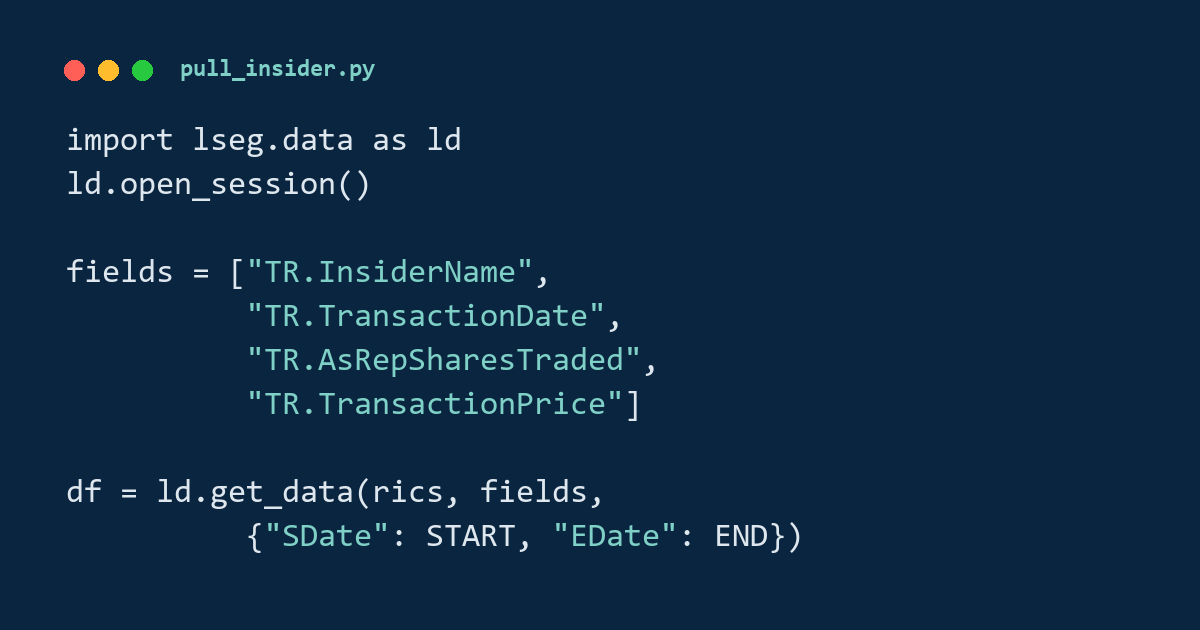
LSEG Workspace has insider trading data for US stocks, the trades that company insiders report, and pulling all of it in one pass needs a script that can resume from its last completed save after an interruption. LSEG’s documentation does not include such a script, so I wrote one. One run from scratch covers 10,078 US stocks from 2000 onward and takes a few hours. The script saves its progress every ten chunks of 50 stocks, so an interruption between saves loses only the chunks since the last save.
The signed shares the script pulls, the number of shares traded with a sign for the direction of the trade, are the input to the insider net-buyer backtest. The name field is what the routine-versus-opportunistic classification, shown there on made-up trades, needs on real data.
What you end up with
- Insider transactions for ~10,000 US stocks, active and delisted, each identified by its RIC, LSEG’s instrument code (such as
AAPL.OQ) - Role, date, transaction type, signed shares and price for each insider transaction LSEG returns, plus the name and title fields the probe in Step 4 accepts. Some fields are often empty: in my file, 27% of rows have no date and 52% no price
- History from 2000 to whatever date your price panel ends
- One CSV, pulled in a single consistent pass that resumes from its last completed save
What you need
- An LSEG Workspace session running locally with an entitlement to LSEG’s insider trading data.
ld.open_session()connects to that session. - The
lseg.dataPython package, bundled with the Workspace licence. - A master US price panel,
US_stocks.csv, which you supply, with the columnsInstrument,Primary Quote RICandDate. The panel defines the list of stocks to pull, the canonical universe of Step 2, and the end date.
Step 1. Importing and configuring
Constants are at the top of one cell. Set DATA_DIR to your own folder. START is the first date the pull requests, which you choose, and the last date comes from the price panel in Step 2. The fields need a run order: run the probe in Step 4 first, add the identity fields that the probe accepts to INSIDER_FIELDS, run this cell again, and only then run the full pull in Step 5.
import os                 # filesystem existence checks
import time               # progress timing and backoff sleeps
import shutil             # rename the previous raw file to .bak in Step 6
import pandas as pd       # chunked CSV reads, DataFrame ops
from pathlib import Path

DATA_DIR     = Path(r'...\Betting against beta')
US_PANEL_CSV = DATA_DIR / 'US_stocks.csv'                 # master daily panel
RAW_CSV      = DATA_DIR / 'insider_transactions_raw.csv'  # the output, replaced each run
BAK_CSV      = DATA_DIR / 'insider_transactions_raw.bak'  # safety copy of the prior file
PROGRESS_CSV = DATA_DIR / 'insider_transactions_raw.pending.csv'  # the pending file, read back on resume

START        = '2000-01-01'   # earliest date the pull asks for
# END is auto-detected from the panel in Step 2.

CHUNK_SIZE      = 50    # RICs per get_data call
PULL_RETRIES    = 2     # attempts before giving up on a chunk
CHUNK_DELAY     = 0.5   # seconds between chunks, to throttle LSEG
SAVE_EVERY_N    = 10    # save the pending file every N chunks

INSIDER_FIELDS = [
    'TR.InsiderRole',           # role string
    'TR.TransactionDate',       # transaction date
    'TR.ShortTransactionType',  # Open Market Purchase / Sale / ...
    'TR.AsRepSharesTraded',     # as-reported shares, signed
    'TR.TransactionPrice',      # per-share transaction price
]
Step 2. Building the canonical US universe
The pull universe comes from one pass over the master price panel, read two million rows at a time. That pass does two jobs: it builds the list of RICs to pull, and it reads the panel’s last date so the insider window ends wherever the panel ends.
A canonical RIC is the primary listing of an issuer. Some RICs are cross-listings that point back to a primary listing: AAPL.N points back to AAPL.OQ. Pulling insider data for both would count the same transactions twice, so I keep only the RICs whose primary quote is the RIC itself.
pq_first = {}          # {Instrument: first-seen Primary Quote RIC}
max_date = None        # track the panel's latest date

for ch in pd.read_csv(US_PANEL_CSV,
                      usecols=['Instrument', 'Primary Quote RIC', 'Date'],
                      parse_dates=['Date'],
                      chunksize=2_000_000, low_memory=False):
    # First non-null Primary Quote RIC per Instrument.
    m = ch.dropna(subset=['Primary Quote RIC']).drop_duplicates('Instrument')
    for inst, pq in zip(m['Instrument'], m['Primary Quote RIC']):
        pq_first.setdefault(inst, pq)
    # An Instrument with no Primary Quote RIC yet counts as its own primary.
    for inst in ch['Instrument'].dropna().unique():
        pq_first.setdefault(inst, inst)
    chunk_max = ch['Date'].max()
    if max_date is None or chunk_max > max_date:
        max_date = chunk_max

# Keep an Instrument only if its primary quote is itself.
canonical_rics = sorted(inst for inst, pq in pq_first.items()
                        if (not isinstance(pq, str)) or inst == pq)
END_DATE = max_date.strftime('%Y-%m-%d')

print(f'{len(canonical_rics):,} canonical RICs, pulling through {END_DATE}')
On my panel all 10,078 RICs pass the filter, and the auto-detected end date is 2026-02-27. No RIC in my panel names a Primary Quote RIC other than itself, and 6,141 have none, so the code counts each of those as its own primary. The filter also keeps a RIC whose rows in its first two-million-row read all lack a Primary Quote RIC, even when a later read names a different primary, so it does not guarantee that each issuer appears once: in my pulled file, 895 transaction records appear under two or more RICs, identical in every column except the RIC.
Nothing downstream is specific to the US. The insider fields are the same across markets. To pull another country, build the universe and the end date from that country’s price panel, and Steps 3 through 6 run unchanged.
Step 3. Checking where to resume
The pull is long, so it writes progress as it goes. Every 10 chunks the pull saves the rows collected so far to insider_transactions_raw.pending.csv. If the kernel stops and you re-run the cells, this step reloads the pending file and lists the RICs it does not already hold, so Step 5 pulls only those.
if PROGRESS_CSV.exists():
    seed_df = pd.read_csv(PROGRESS_CSV, low_memory=False)
    covered = set(seed_df['Instrument'].dropna().unique())   # RICs already pulled
else:
    seed_df, covered = pd.DataFrame(), set()

missing = sorted(r for r in canonical_rics if r not in covered)
On a first run, missing is the whole universe, about 202 chunks of 50 RICs, which takes a few hours. After an interruption, missing holds only the RICs that are not yet in the pending file.
Step 4. Probing the field names
LSEG silently drops a field name it does not recognise. There is no error, and the column does not appear in the response. So, the only reliable test of a candidate field is whether its column comes back. I probe each candidate in its own get_data call against four US stocks with many insider transactions, and I keep the fields that come back with data.
import lseg.data as ld
ld.open_session()

PROBE_RICS = ['LCID.OQ', 'GME.N', 'TSLA.OQ', 'AMZN.OQ']   # US stocks with many insider transactions
BASELINE   = ['TR.TransactionDate', 'TR.ShortTransactionType', 'TR.AsRepSharesTraded']

CANDIDATE_FIELDS = [
    'TR.InsiderName', 'TR.InsiderFullName', 'TR.InsiderPersonName',
    'TR.InsiderCIK', 'TR.InsiderFilerID', 'TR.InsiderPersonID',
    'TR.InsiderTitle', 'TR.InsiderJobTitle', 'TR.InsiderPosition',
]

for field in CANDIDATE_FIELDS:
    df = ld.get_data(universe=PROBE_RICS,
                     fields=BASELINE + [field],
                     parameters={'SDate': '2022-01-01', 'EDate': '2024-06-30'})

    # LSEG returns the column under a spaced, title-cased name, so 'TR.InsiderName' comes
    # back as 'Insider Name'. Stripping the prefix and the spaces from both sides lets them
    # be compared. If no column matches, the field was silently dropped.
    wanted = field.replace('TR.', '').lower()
    matched = [column for column in df.columns
               if column.replace(' ', '').lower() == wanted]

    status = 'ACCEPTED' if matched else 'DROPPED'
    rows_with_data = int(df[matched[0]].notna().sum()) if matched else 0
    print(f'{field:<28} {status:<10} {rows_with_data:>6,} rows')
Of the identity candidates, TR.InsiderName, TR.InsiderFullName, and TR.InsiderTitle came back with data. LSEG dropped the rest, including every Central Index Key (CIK) and person-identifier field I tried. So, my entitlement exposes the insider’s name and title, and any per-person classification later has to match insiders by the name string.
Add the accepted fields to INSIDER_FIELDS in Step 1 and run that cell again before the full pull.
Step 5. Pulling in chunks, with retries and saves
The pull walks the missing RICs in chunks of 50. Each call returns a table with one row per insider transaction LSEG holds for the chunk’s RICs between START and END_DATE, an Instrument column naming the RIC, and one column per field. Each chunk gets a short retry loop so one transient failure does not stop the run. When a chunk’s number is a multiple of ten and that chunk succeeded, the loop saves the running result to the pending file.
def chunked(items, size):
    """Walk a list in slices of `size`, so each request asks for a manageable number."""
    for start in range(0, len(items), size):
        yield items[start:start + size]


def pull_chunk(chunk):
    """One chunk of RICs, retried on a transient error. Returns None if every try failed."""
    for attempt in range(PULL_RETRIES):
        try:
            return ld.get_data(universe=chunk,
                               fields=INSIDER_FIELDS,
                               parameters={'SDate': START, 'EDate': END_DATE})
        except Exception:
            time.sleep(2 * (attempt + 1))     # wait longer after each failure
    return None


collected = [seed_df] if len(seed_df) else []   # start from any rows recovered in Step 3
since_save = []                                 # chunks held back since the last save
# Round up, so a short final chunk still counts as one
n_chunks = (len(missing) + CHUNK_SIZE - 1) // CHUNK_SIZE

for i, chunk in enumerate(chunked(missing, CHUNK_SIZE)):
    df = pull_chunk(chunk)

    if df is None:
        print(f'  chunk {i+1}/{n_chunks}: FAILED, skipping')
        continue                              # never save a failed chunk, see Step 3
    if len(df) > 0:
        since_save.append(df)                 # a RIC with no insider trades returns nothing

    # Save every SAVE_EVERY_N chunks, so an interruption loses at most that many chunks of work
    if (i + 1) % SAVE_EVERY_N == 0 and since_save:
        collected.extend(since_save)
        since_save = []
        pd.concat(collected, ignore_index=True).to_csv(PROGRESS_CSV, index=False)

    time.sleep(CHUNK_DELAY)                    # throttle LSEG

# Whatever is still held back after the last save
if since_save:
    collected.extend(since_save)

combined = pd.concat(collected, ignore_index=True) if collected else seed_df
The loop never saves a failed chunk. The resume in Step 3 assumes that every RIC in the pending file is complete, and one case breaks that assumption: each save empties the pending file and then writes every row collected so far, so a pull that stops during a save can leave a file that ends partway through a RIC’s rows, and Step 3 then counts that RIC as pulled. If the traceback points to the to_csv line, delete the pending file and start the pull again. A failed chunk is also missing from combined, which Step 6 writes as the final file, so if the log shows a FAILED chunk, re-run Steps 3 and 5 to pull the missing RICs before running Step 6.
Step 6. Finalising the file
The last step renames the previous raw file to .bak, writes combined as the new raw file, then deletes the pending file.
# 1. Back up the previous raw file, if there is one.
if RAW_CSV.exists():
    if BAK_CSV.exists():
        BAK_CSV.unlink()
    shutil.move(str(RAW_CSV), str(BAK_CSV))

# 2. Write the fresh pull as the new raw file.
combined.to_csv(RAW_CSV, index=False)

# 3. Remove the now-redundant pending file.
if PROGRESS_CSV.exists():
    PROGRESS_CSV.unlink()
If the pull fails before this step, the old file is untouched and the pending file holds the partial run. Re-running the cells picks up from the last completed save, apart from the two cases Step 5 describes: a save interrupted partway and a failed chunk.
Conclusion
The takeaway is that a pull of 10,000 stocks has to survive interruptions: the script saves as it goes and resumes from the last save, and the final file is complete only if the log shows no failed chunk.
Read next
- Does following insider buyers beat the S&P 500 after trading costs? The backtest this pull feeds: a net-insider-buying signal on US stocks.
- Classify insiders as routine or opportunistic Splitting insiders by how predictable their transactions are, using the name field pulled here.
Disclaimer: this is a data-pipeline walkthrough for discussion purposes only. Not investment advice.
Data: US insider transactions from LSEG Workspace (licensed). The code requires an entitled Workspace session, and the raw pulled file is not reproduced here.